01 · LOST CONTEXT
“Make it bigger here.”
Here should mean the same frame, musical section, bar, and version for everyone.

Work in the DAW you choose, publish a private picture-locked review, and turn “change this here” into the exact frame, timestamp, bar, and section your collaborators mean.
No client software to install · No credit card · Your DAW remains the source of truth
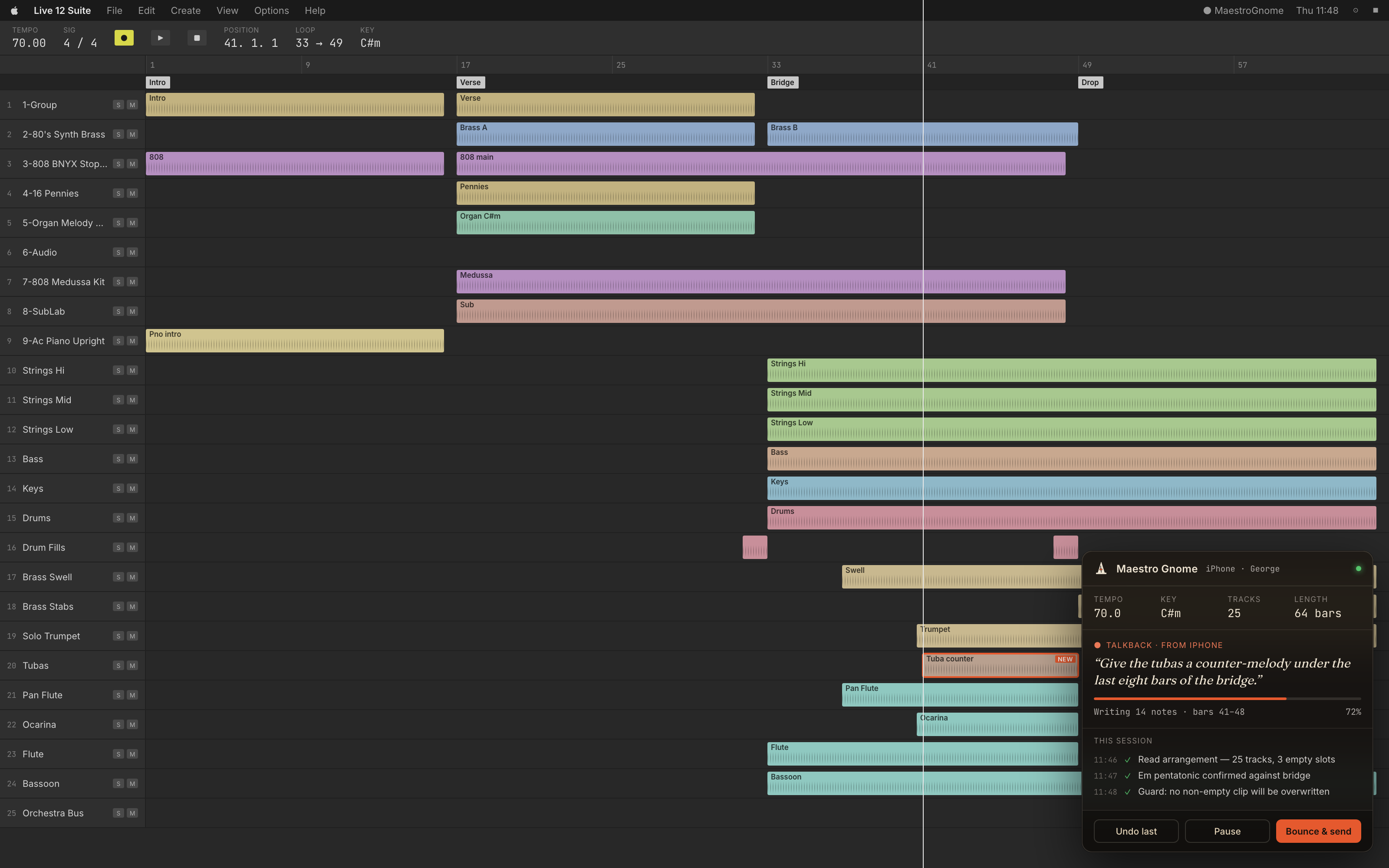
Links, email threads, exported videos, and vague timestamps separate feedback from the music. By the time everyone finds “that part before the bridge,” the creative decision has lost its context.
Here should mean the same frame, musical section, bar, and version for everyone.
Every note needs to remain attached to the exact published review that prompted it.
Producers should not spend the next hour copying timestamps into a production session.
Maestro Gnome is DAW-neutral at its core. Each adapter reads and writes through a small, verifiable contract while the review platform stays consistent for every collaborator.
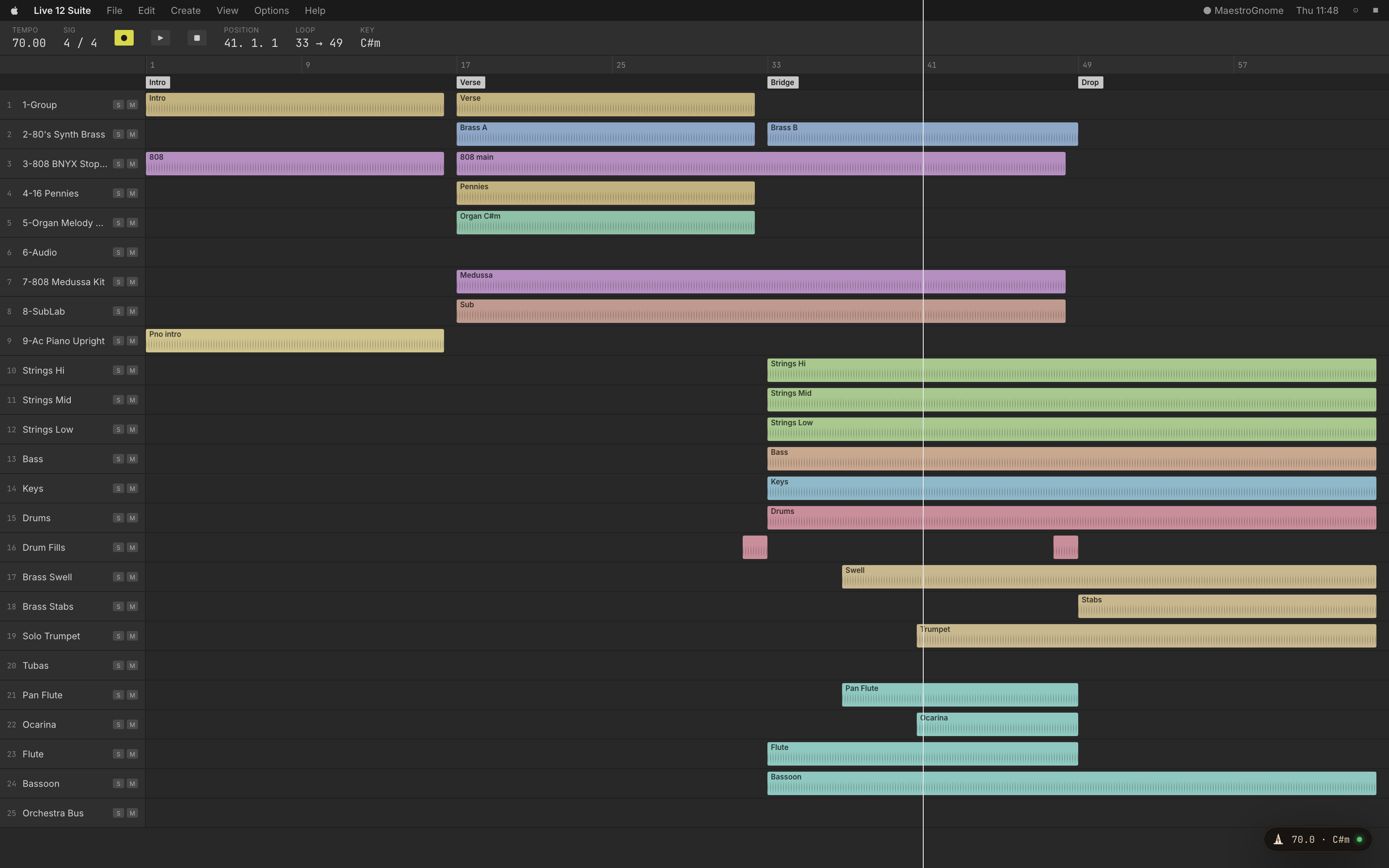
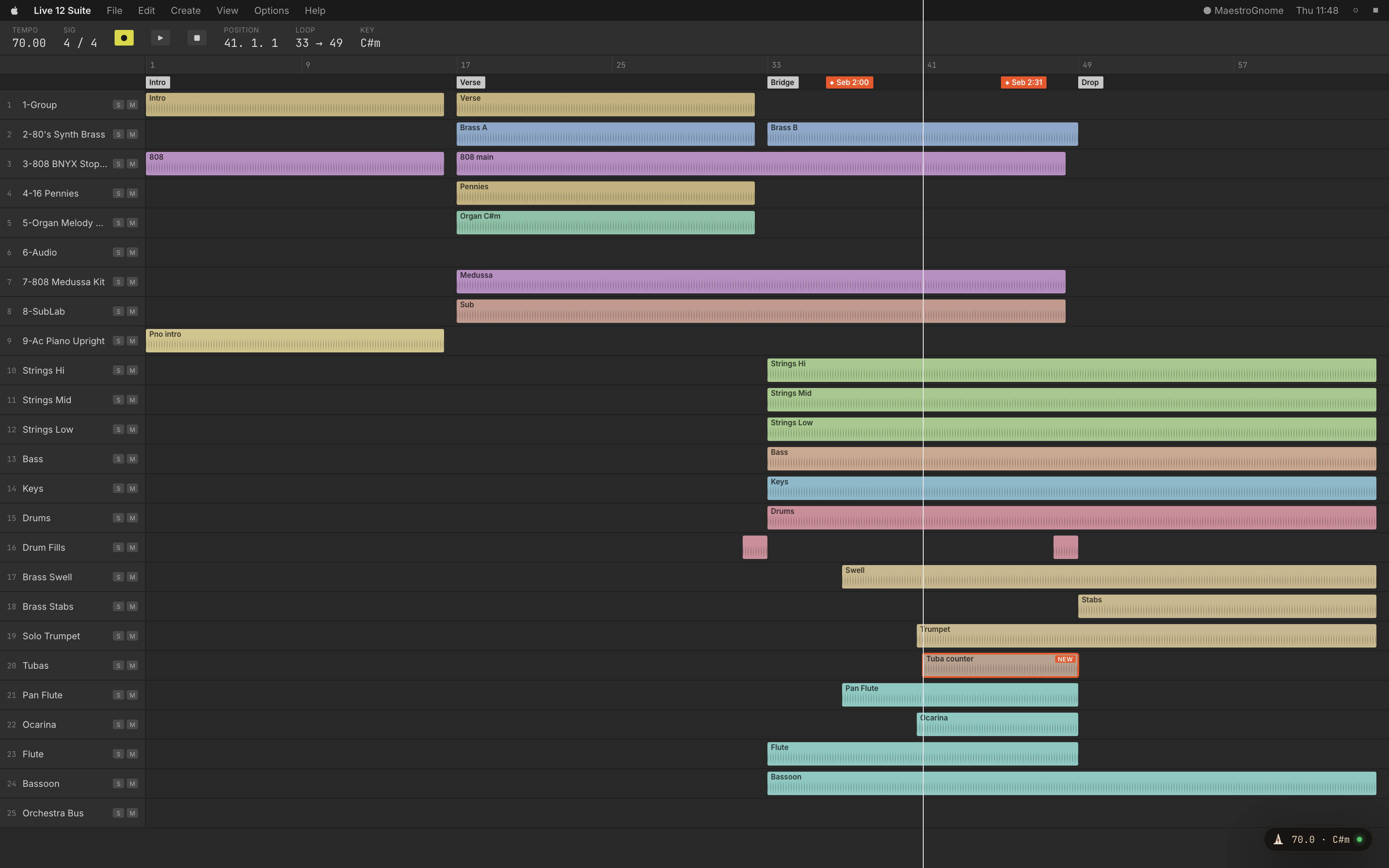
Inspect the musical DNA, shape parts, and keep transport and session context close without covering the arrangement.
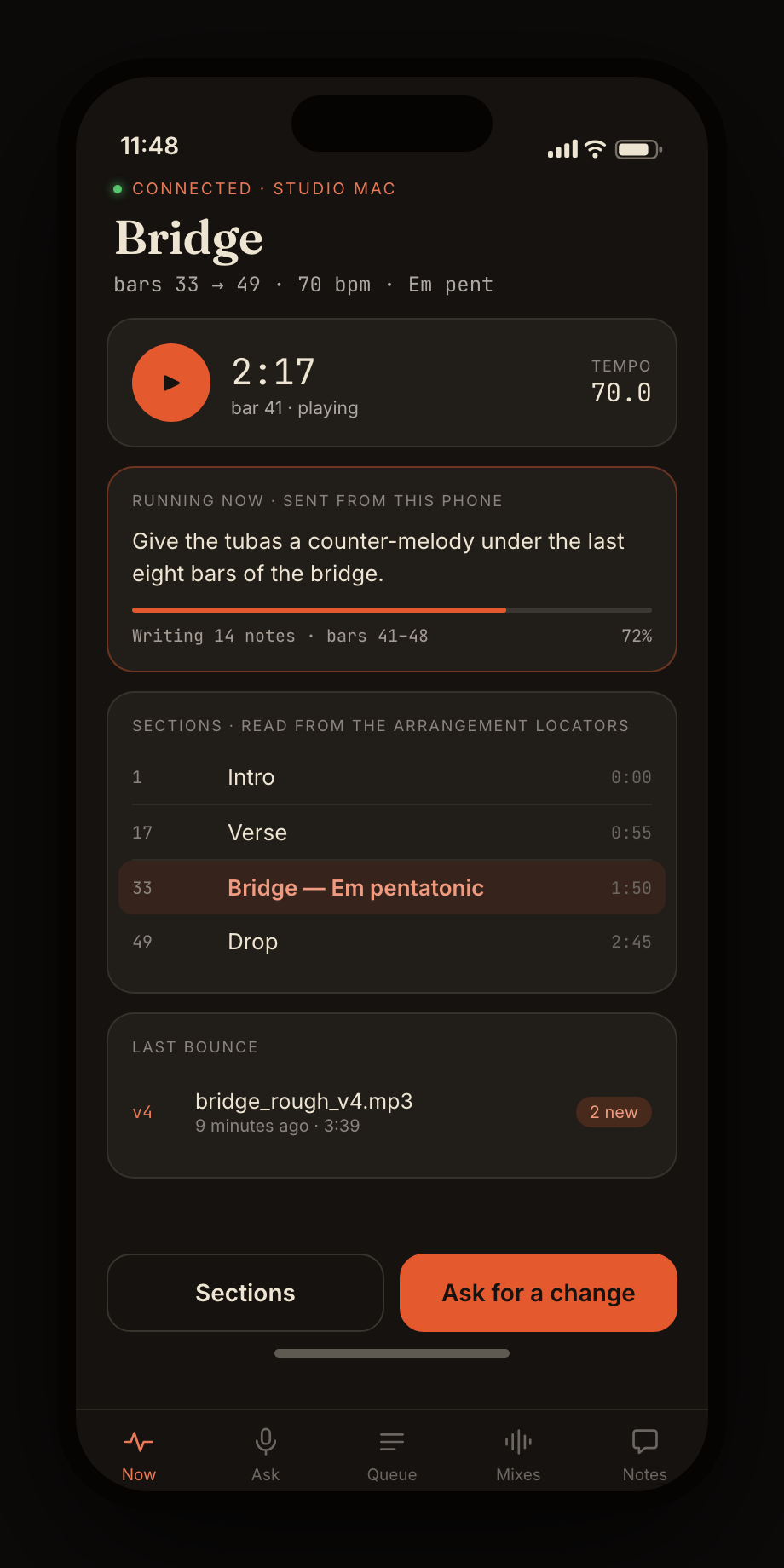
Tempo, form, active material, and project state become shared context instead of tribal knowledge.
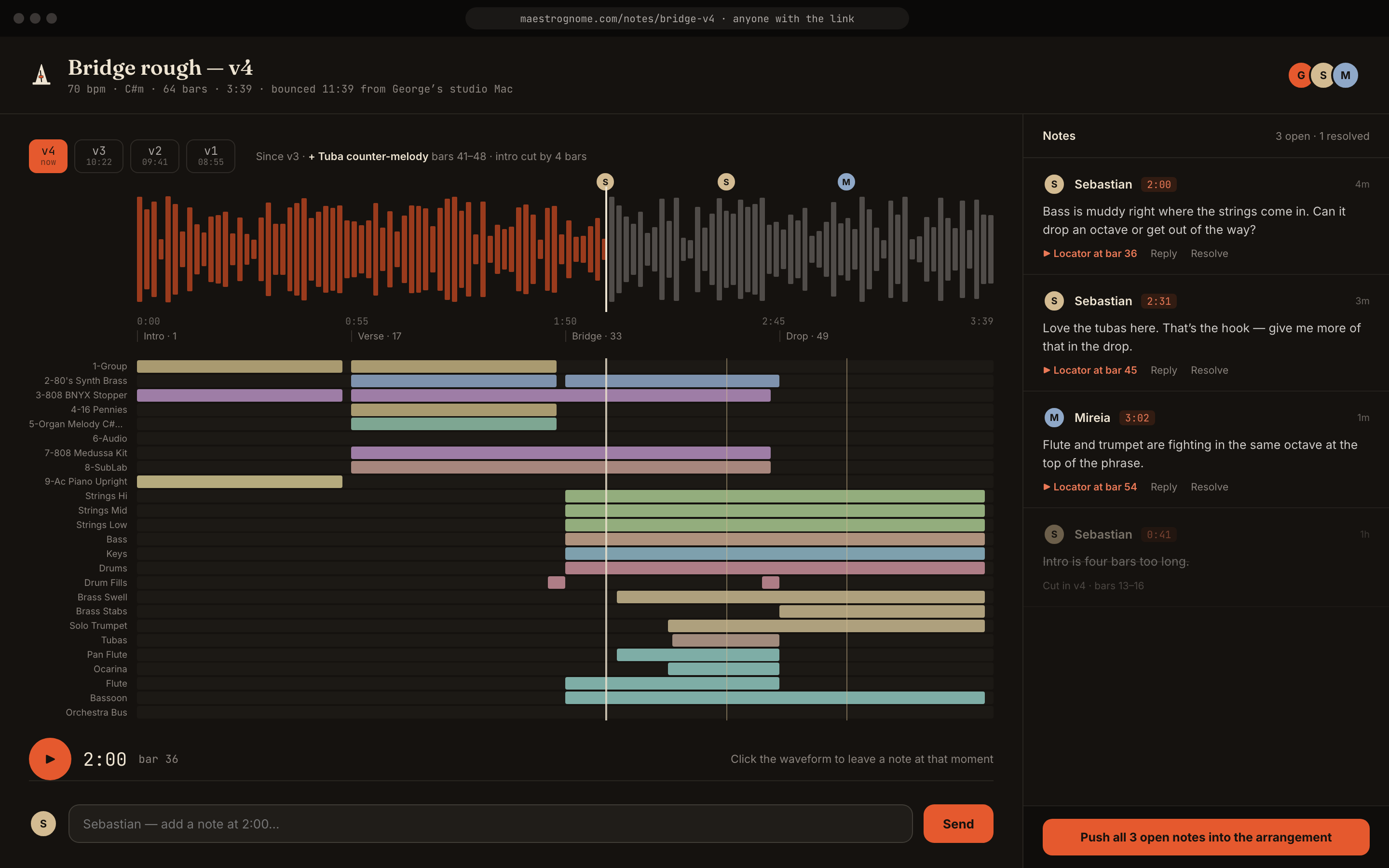
Picture, waveform, arrangement structure, and timestamped notes stay synchronized in one private browser link.
Before edits touch the session, collaborators can see the intended operations, affected material, and musical reasoning. The goal is speed with accountability—not invisible automation.
Explore the working review →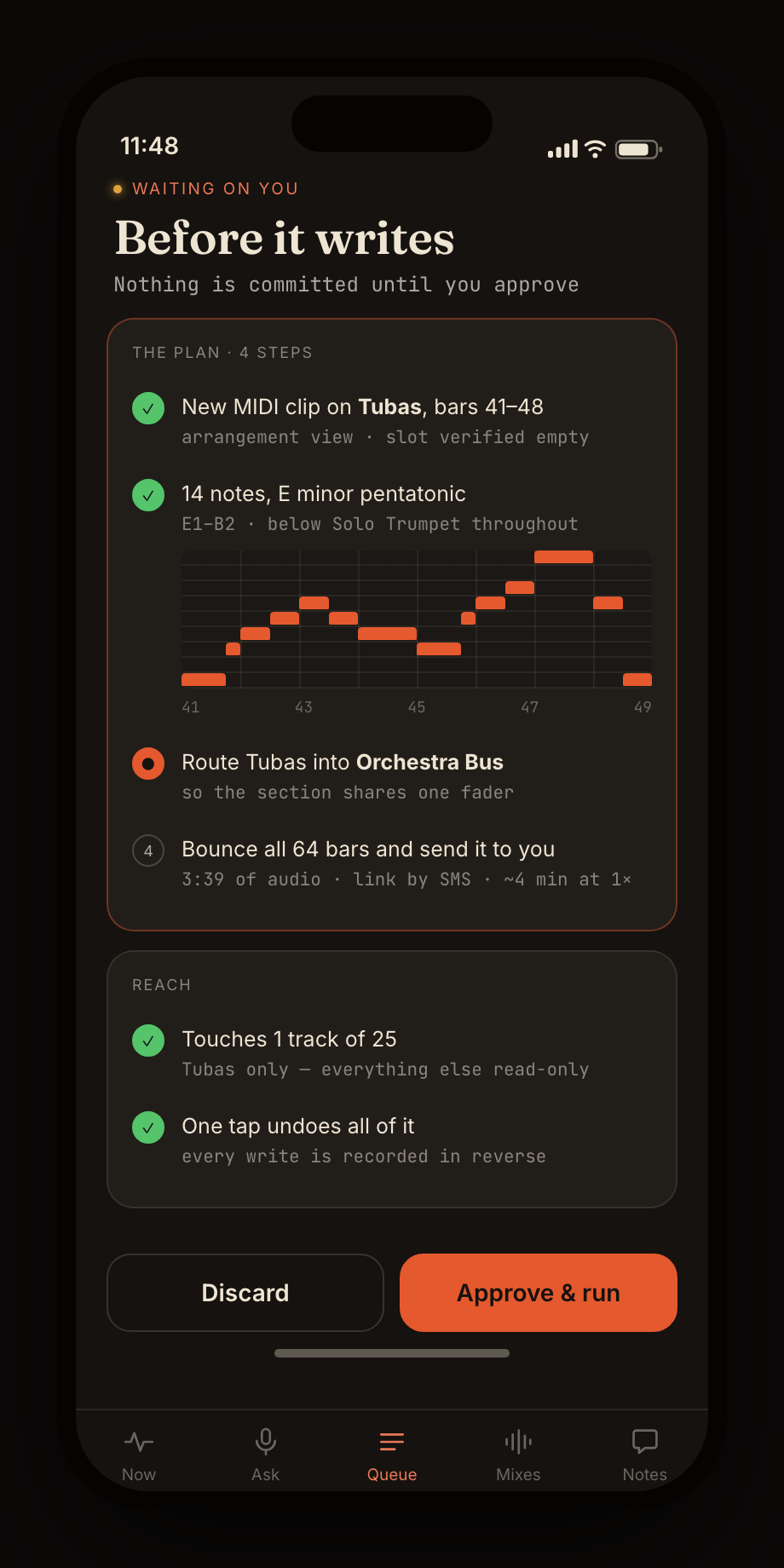
Comments retain the project, review version, timestamp, beat, bar, author, and synchronization state. A note can become an actionable marker without disconnecting it from the conversation that created it.
The beta is intentionally honest about what works now and what still requires adapter or account configuration.
No. Your DAW and session remain the source of truth. Maestro adds a composition, review, and revision layer around the environment you already use.
The platform model is DAW-neutral; adapters are verified individually because every DAW exposes different automation and session APIs. Private-beta access is matched to the collaborator’s actual studio setup rather than promising an untested adapter.
No. A client opens a private browser review, plays the score with synchronized picture, jumps by musical section, and leaves timestamped comments.
Yes. Reviews and comments are stored with durable project and review UUIDs. Each note retains its exact media time, musical beat, bar, author, and synchronization status.
Google identity and optional Drive or Calendar connections are being configured for beta accounts. Each integration requires separate, explicit consent; Maestro will not request blanket Gmail or Drive access.
Yes. The reference picture and score use the same browser media clock, so a timestamped note identifies both the musical moment and the visual frame.
Review pages use unguessable private links, reject search indexing, and are stored separately from the studio connection. Account-bound invitations are the next access-control layer for the beta.
Tell us your DAW, team, and current review workflow. We will match access to the integration that can be verified in your studio.